 FlameGet
A blazing fast, lightweight downloader built for speed and reliability. From native browser integration and full torrent support to auto-merging high-quality media, FlameGet handles it all seamlessly.
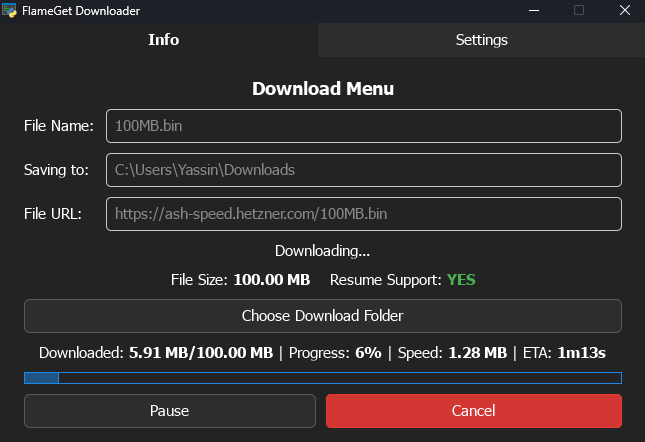
Blazing Fast Speeds
FlameGet uses advanced multi-threading to split your files into smaller pieces, downloading them simultaneously to max out your bandwidth and bring your files home faster.
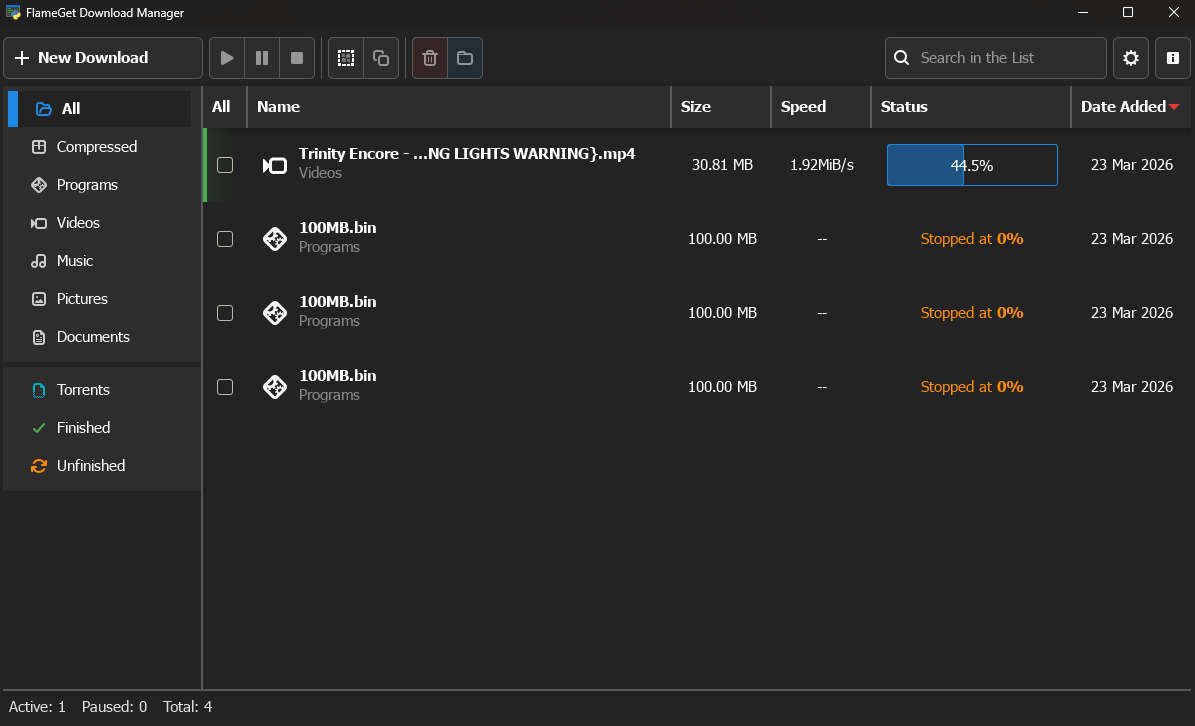
Auto-Merge Media
Stop dealing with separate video and audio files. FlameGet leverages the power of FFmpeg to automatically stitch high-quality DASH tracks together completely in the background.
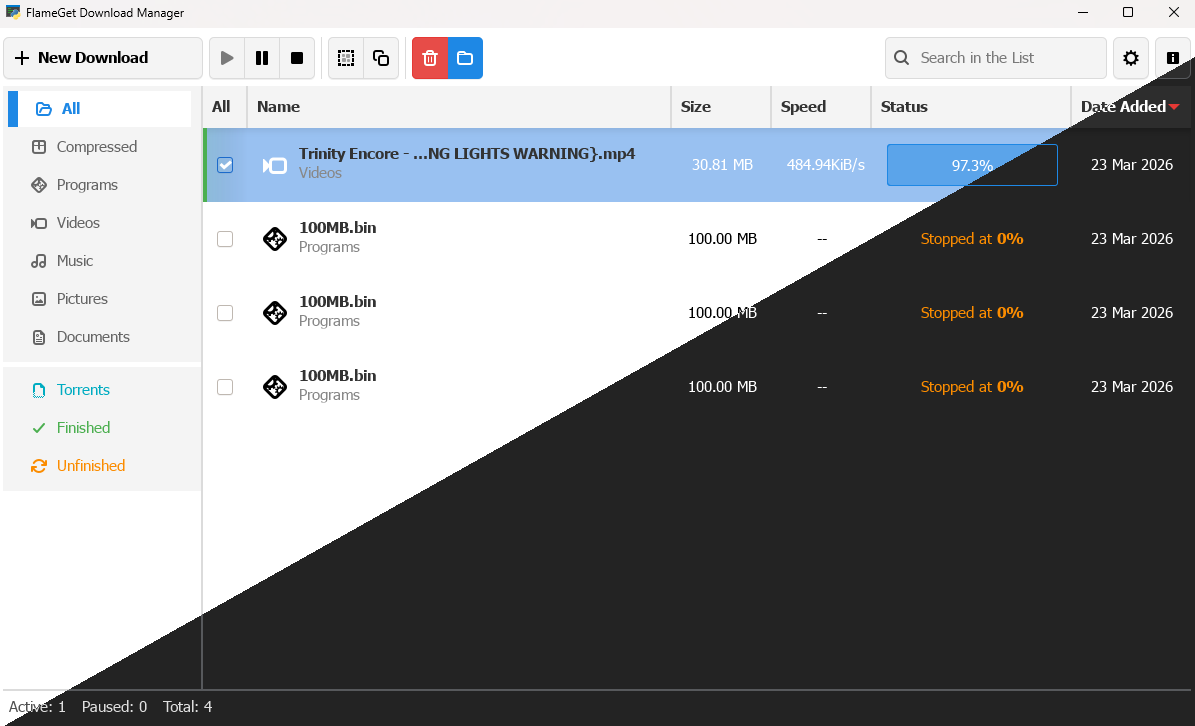
Native GTK4 Design
Built with Python and the modern GTK4 toolkit, FlameGet looks and feels like a native application. Enjoy smooth animations, crisp fonts, and full dark mode support. Plus it's fully customizable with CSS!
Choose Your Platform
Download the core FlameGet application for your operating system.
Linux Native
Packages and binaries for various Linux distributions.
Browser Integration
Supercharge your workflow. Install the browser extension to automatically catch file downloads and send YouTube links directly to FlameGet.
Chromium-Based
Works flawlessly with Google Chrome, Microsoft Edge, Brave, Vivaldi, Opera, and other Chromium browsers.
Chrome Web StoreGecko-Based
Built for privacy. Compatible with Mozilla Firefox, Waterfox, LibreWolf, and other Gecko-based browsers.
Firefox Add-onsFuel the Fire!
FlameGet is completely free, open-source, and ad-free. If this tool saves you time, consider dropping a tip to keep the servers running and the coffee flowing!